Win Back Lapsed Restaurant Guests (Templates + Timing)
Bring lapsed restaurant guests back with three email templates, sensible timing and a simple way to track bookings. Practical advice for busy venue teams.

A practical restaurant CRM buyer's guide: features to look for, questions to ask, red flags to avoid, and how to choose the right platform for your venue.
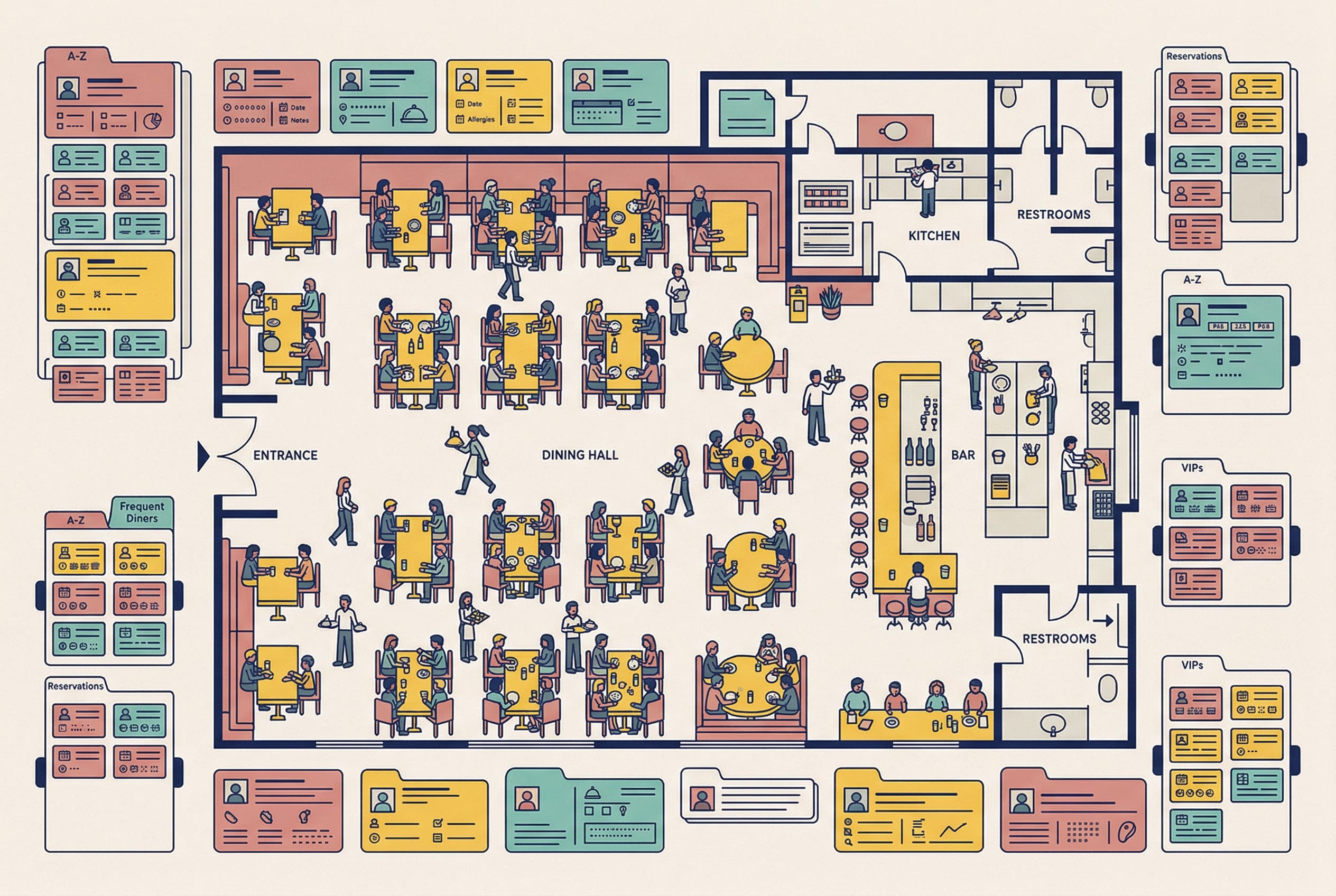
If you're running a venue, you already have a CRM. It's just scattered across:
That works… until it doesn't.
The brutal truth: a big chunk of first-time diners never return. Bloom Intelligence pegs it at roughly 70%. That means you're paying (in discounts, ads, delivery platforms, or just time) to fill seats for guests who vanish.
And here's the other truth operators learn the hard way: the "nice middle" of guests is great, but it's often a small slice who really drives the engine. The top ~12% of guests can drive ~40% of revenue. If you can't identify them, recognise them, and keep them, you're leaving money on the table: quietly, every service.
A restaurant CRM isn't about becoming a "marketing brand". It's about turning your guest relationships into something repeatable, measurable, and not dependent on one staff member with a perfect memory.
We spoke to 500+ restaurants to understand exactly what operators need to bring guests back and fill quiet nights. This is a practical restaurant CRM buyer's guide, not a brochure.
A list of emails isn't a CRM. That's a database. Proper restaurant CRM software is guest history + behaviour + context, so you can act on it.
Example an operator recognises: - "Sam came twice in six weeks, always orders steak, tips well, and hasn't been back in 60 days."
That's actionable. sam@example.com isn't.
Reservation platforms are for managing tables. A CRM is for managing relationships. They overlap, but they aren't the same job.
The best way to think about it: a restaurant CRM is the venue's memory that doesn't quit when staff turnover happens.
It should help you: - understand repeat visits (not just covers), - segment guests (not "blast everyone"), - run follow-ups and win-backs automatically, - and track whether your efforts actually brought people back.
If any of these sting a bit, you're not alone.
You feel like you have regulars, but can you name them? Can you quantify them? Can you see who's drifting? Who came in November? If the answer is "kind of", you're relying on vibes.
Same email to vegans, families, corporate diners, and wine nerds. Same offer to first-timers and VIPs. That's not marketing; that's noise.
Guests are 72% more likely to return with personalised offers. "Personalised" doesn't mean creepy: it means relevant: - early bird fixed-price for the pre-theatre crowd, - a "miss you" note for lapsed locals, - a cellar tasting invite for wine spenders.
If you can't answer "what's our repeat rate?" you can't manage it. Operators often track covers, revenue, average spend, and labour. But not first-time vs repeat, time between visits, VIP retention, or win-back success.
FOH recognising a guest isn't a "nice-to-have". It's one of the most reliable ways to make someone feel looked after without discounting anything. If recognition relies on one person, you've got risk.
Your CRM should build a single profile per guest from wherever data comes in: - POS transactions, - reservations, - online ordering, - Wi-Fi sign-ins (where compliant), - feedback forms.
A good profile shows visit frequency, spend over time, favourite items/categories, last visit date, and notes/allergies/preferences (with care). If it's only "name + email", you're buying an email tool with a fancy label.
You want segments that map to reality, like: - first-timers (visited once), - regulars (e.g., 3+ visits in 90 days), - VIPs (top spenders, frequent visitors, high margin), - lapsed (no visit in 60/90/120 days).
You don't treat your top 12% the same way you treat everyone else.
If restaurant CRM software requires constant manual pushing, it will die quietly after the initial enthusiasm.
Look for automations to fill quiet nights: - post-visit follow-up (next day "thanks for coming", feedback link), - win-back (60 days no visit → gentle prompt), - birthday/anniversary triggers, - quiet-night fill campaigns (e.g., Tuesdays at 5pm).
Win-back campaigns typically recover 12–15% of lapsed guests. That's real money without finding "new customers".
This is where CRMs either become brilliant or become a chore. Ask specifically: Which POS? Which reservation system? How often does data sync? What happens when a guest books with a different email/phone? If integrations are weak, you'll be stuck doing CSV uploads. That's admin, not CRM.
Open rates are cute. Revenue and repeat visits pay the bills. Look for repeat rate over time, first-time to second-time conversion, time between visits, and campaign revenue attribution.
Here's your script for demos. Save it.
No one tool is "best". There's "best for your operation, budget, and attention span".
Familiar with powerful email builders, but they are not hospitality-native. They lack built-in understanding of visits, covers, or VIP behaviour. It takes heavy lifting to connect POS/reservations and clean data.
The "one platform to rule them all" pitch. Great for enterprise, but can be expensive and overkill for independents. You may pay for modules you never use.
Convenient and data sits near transactions, but they offer limited segmentation and basic automation. They often feel like a mass promo tool rather than true relationship management.
Built around visits, not shopping carts. Focused on guest memory, segmentation, and repeat behaviour. Designed so FOH and operators can actually use it without becoming full-time marketers.
If a CRM is doing its job, you'll feel it in operations, not just dashboards.
You can see first-timer conversion, repeat cadence, and lapsed growth/shrink weekly or monthly.
The best CRM moments are quiet: "VIP is in tonight," or "They love Burgundy: offer the by-the-glass special." That's hospitality.
A simple post-visit flow can give every eligible guest the same public-review invitation and the same option to share feedback privately. Do not screen guests by sentiment before presenting the public-review path; see the current Google and Tripadvisor policies.
If ~70% of first-timers don't return, win-back is one of your most controllable levers to bring guests back.
You can answer how many guests came back after a campaign and what revenue they generated. That's how you stop guessing.
If hospitality reality is what you are buying for (busy services, messy data, walk-ins, regulars you don't want to lose), have a look at nollie, which keeps bookings and marketing in the same system.
Built by the team behind some of hospitality tech's biggest platforms, nollie is designed to act like a venue's guest memory, with automation that helps fill quiet nights without requiring you to become a full-time marketer.
Pricing is published for each market. Check the current pricing for your venue, or book a demo and bring your toughest questions. The right CRM should earn its place in your week, not add another job.
Bring lapsed restaurant guests back with three email templates, sensible timing and a simple way to track bookings. Practical advice for busy venue teams.
Set up Wix restaurant email marketing with labels, segments, automations, templates, guest data, and hospitality CRM upgrade signs.
A practical restaurant email marketing guide for 2026: campaigns, guest data, automation, compliance, and how to turn emails into repeat bookings.