Win Back Lapsed Restaurant Guests (Templates + Timing)
Bring lapsed restaurant guests back with three email templates, sensible timing and a simple way to track bookings. Practical advice for busy venue teams.

Set up Wix restaurant email marketing with labels, segments, automations, templates, guest data, and hospitality CRM upgrade signs.
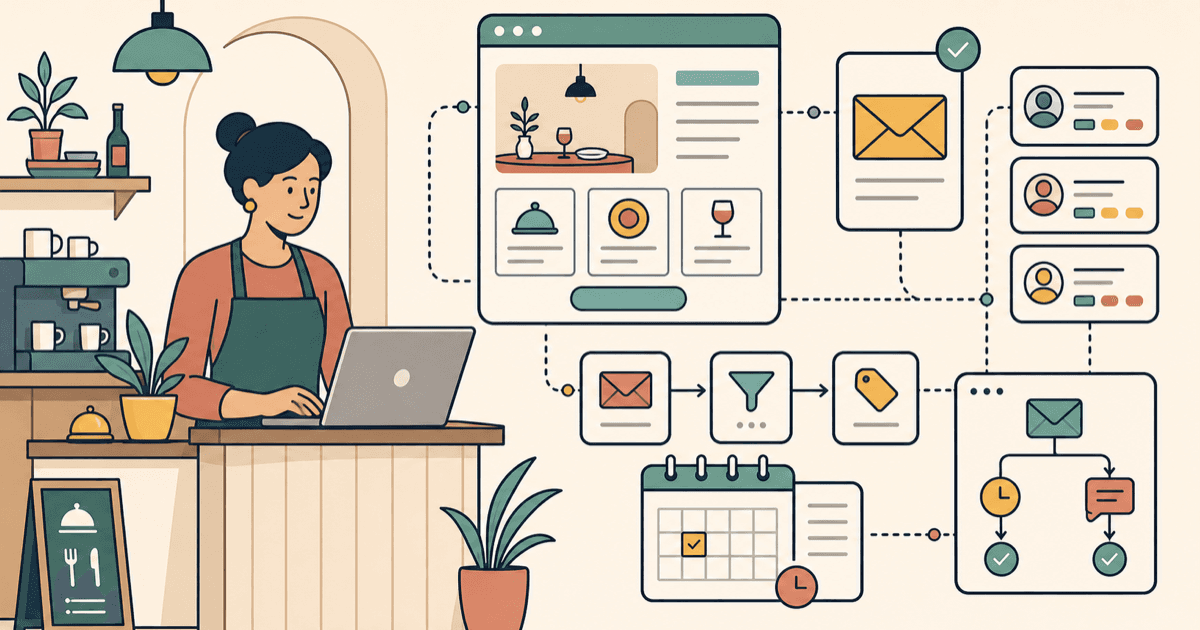
Wix is a strong choice for getting a restaurant website live quickly. Menu page, booking link, gallery, events, forms, basic SEO: all manageable without needing a developer on standby.
Wix email marketing can help too, especially if your goal is simple guest communication. You can collect contacts from your website, organise them with labels and segments, send campaigns, and set up useful automations.
The catch is that restaurant email marketing is not just "send a newsletter and hope someone books".
Good hospitality marketing depends on behaviour:
Wix can help you send emails. It does not automatically understand what happens in your venue unless you feed it the right data.
This guide shows how to set up Wix restaurant email marketing properly, what Wix is good at, where the manual work starts, and when it makes sense to move your guest data onto a booking system with marketing built in, like nollie.
Wix gives venue owners a practical set of marketing tools inside the same dashboard as the website. For a restaurant, cafe, bar, or pub, the most useful pieces are:
That is enough to run a sensible starter setup.
Where Wix works best is website-led marketing. Someone lands on your site, joins your list, books an event, or asks about a private dining enquiry. Wix is good at capturing that interest and helping you follow up.
It is less strong when the important data sits somewhere else. Most venues do not run the whole business inside Wix. Bookings may live in ResDiary, SevenRooms, OpenTable, or a booking widget. Sales may live in Square, Lightspeed, Zonal, or another POS. Guest notes may live with the floor team, in spreadsheets, or in someone's head, which is very artisanal and deeply annoying.
That is the real setup question: can Wix see enough guest behaviour to send the right emails?
A generic email tool sees a contact.
A restaurant CRM sees a guest.
That difference matters. A contact is an email address with maybe a name and a label. A guest has context:
If Wix only knows that someone joined your mailing list, your emails will stay broad. You can still send decent updates, but you cannot easily run behaviour-based campaigns like:
Those are the segments that make restaurant email useful. They let you send fewer emails with better timing.
Here is the practical comparison.
The short version: Wix can send the email. A hospitality CRM helps decide who should get it, when they should get it, and whether it brought someone back.
Before building anything in Wix, pick one job for email to do.
Do not start with "we need a newsletter". That is how operators end up with a monthly essay nobody had time to write and nobody asked to receive.
Choose one of these:
One goal means cleaner forms, cleaner labels, cleaner copy, and fewer dead campaigns sitting in the dashboard quietly judging everyone.
Add signup forms in the places where guests already show intent:
Keep the form short. Name and email is enough for most newsletter or event lists. If you want to run birthday campaigns, ask for birthday month rather than full date of birth unless you genuinely need the detail.
Give people a reason to join that does not cheapen the venue:
Avoid training guests to wait for discounts. "Join for 10% off forever" looks harmless, then suddenly your margin is lying face-down in the walk-in.
Wix contact labels are useful if you keep them simple.
Start with a small label set:
Do not create 47 labels on day one. That way lies spreadsheet theatre.
The rule is simple: only create a label if you will actually send a different message to that group.
For example:
Labels should make sending easier, not make the system look impressive.
If guest data lives outside Wix, you can still make the setup work with a simple monthly routine.
Export contacts from your booking system, POS, events platform, or mailing list. Clean the CSV before importing it into Wix Contacts:
This step matters for compliance as well as deliverability. In Australia and New Zealand, commercial email generally needs clear consent. In the UK and EU, GDPR rules apply. If you are not sure someone opted in, do not add them to marketing. The short-term list growth is not worth the long-term headache.
Wix segments can group contacts based on attributes or activity. For a venue, useful segments might be:
Keep segments tied to real campaigns. If you cannot name the email you would send, you probably do not need the segment yet.
Start with two automations. That is enough to create value without turning the dashboard into a small haunted mansion.
Trigger: new subscriber or form submission.
Send: within 24 hours.
Goal: make the guest feel recognised and give them one clear next step.
Include:
Trigger: `Lapsed 90` label added.
Send: after you update labels from your booking or POS data.
Goal: bring someone back with a specific reason to visit.
Include:
This is a workaround, not a perfect automation. You are manually adding the lapsed label, and Wix is sending the email. It works, but it depends on you keeping the data fresh.
Once the basics are in place, focus on campaigns that match how restaurants actually make money.
Use this for new subscribers, first-time guests, or event enquiries.
The aim is not to say everything about the venue. The aim is to get the second interaction.
Use this for guests who have not visited recently.
Keep it specific. "We miss you" is vague. "The winter menu is on, and the rib-eye is back" gives someone a reason.
Use this for birthday month, anniversaries, or "celebrating soon?" forms.
This works especially well for venues with private dining, sharing menus, cocktails, or group-friendly spaces.
Use this for quieter services rather than blanket discounts.
Examples:
The best version feels like a reason to book, not a panic button.
Use these as starting points, then make them sound like your venue.
Subject options:
Hi {{first_name}},
Thanks for joining the {{venue_name}} list. We will keep this useful: new menus, events, seasonal specials, and the occasional good reason to book a table.
If you are already thinking about your next visit, you can book here:
[Booking link]
Cheers,
{{sender_name}}
{{venue_name}}
Subject options:
Hi {{first_name}},
It has been a little while since we saw you at {{venue_name}}, so here is your gentle nudge.
A couple of things worth coming back for:
Book here:
[Booking link]
Cheers,
{{sender_name}}
PS: If you prefer lunch, dinner, cocktails, or something spicy, reply and tell us. We will point you to the right thing.
Subject options:
Hi {{first_name}},
If you are celebrating this month, we would love to host you at {{venue_name}}.
For birthday bookings, we can help with:
Book here:
[Booking link]
If you are coming with a group, reply to this email and we will help make it easy.
Cheers,
{{sender_name}}
Subject options:
Hi {{first_name}},
Quick one from {{venue_name}}.
This week we are running:
[Offer or event name]
When: [day and time]
What: [short description]
Why book: [one clear reason]
Menu or details: [link]
Bookings: [booking link]
Cheers,
{{sender_name}}
Wix email marketing is enough if:
For many early-stage venues, that is a perfectly sensible starting point.
You have probably outgrown Wix as your main email marketing setup when:
That is when the problem stops being email design and starts being guest intelligence.
If Wix is your website engine, nollie is where the bookings happen and the guest data becomes usable.
nollie is built for restaurants, cafes, bars, pubs, and independent hospitality groups. Bookings and marketing sit in the same system, so operators can send better campaigns without needing a marketing team.
That means:
You can keep Wix for the website. Use nollie where restaurant marketing actually gets hard: knowing who to contact, what to say, and when to say it.
Book a nollie demo and ask about the current pricing and terms for your market.
Bring lapsed restaurant guests back with three email templates, sensible timing and a simple way to track bookings. Practical advice for busy venue teams.
A practical restaurant email marketing guide for 2026: campaigns, guest data, automation, compliance, and how to turn emails into repeat bookings.
Honest comparison of nollie, SevenRooms, and Toast Marketing for restaurants. Features, pricing, and which is right for independent venues vs enterprise.